Excavation job tracking for crews that move dirt.
Track your iron. Prove the work. Where the iron is, what it ran, how many loads left, and a closeout package the GC can't argue with. Works in the hole, syncs at the desk.
14-day free trial. No credit card. $99/month after. Your whole crew included.
- Price
- $99/mo flat
- Crew
- Unlimited
- Platforms
- Web · iPhone · Android
- Signal
- Offline-first
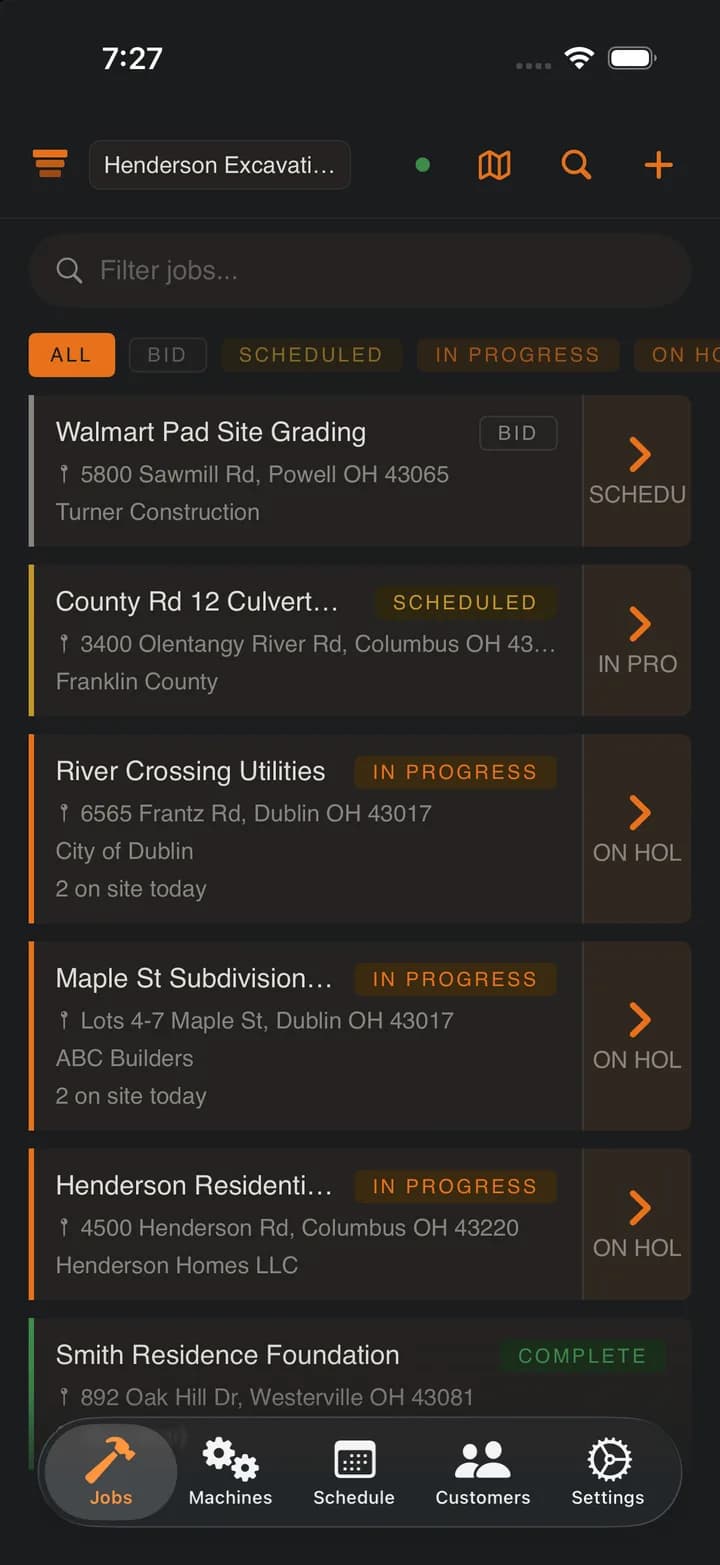
Everything the dig throws at you, on one record.
01 · Haul counter
Settle the load count.
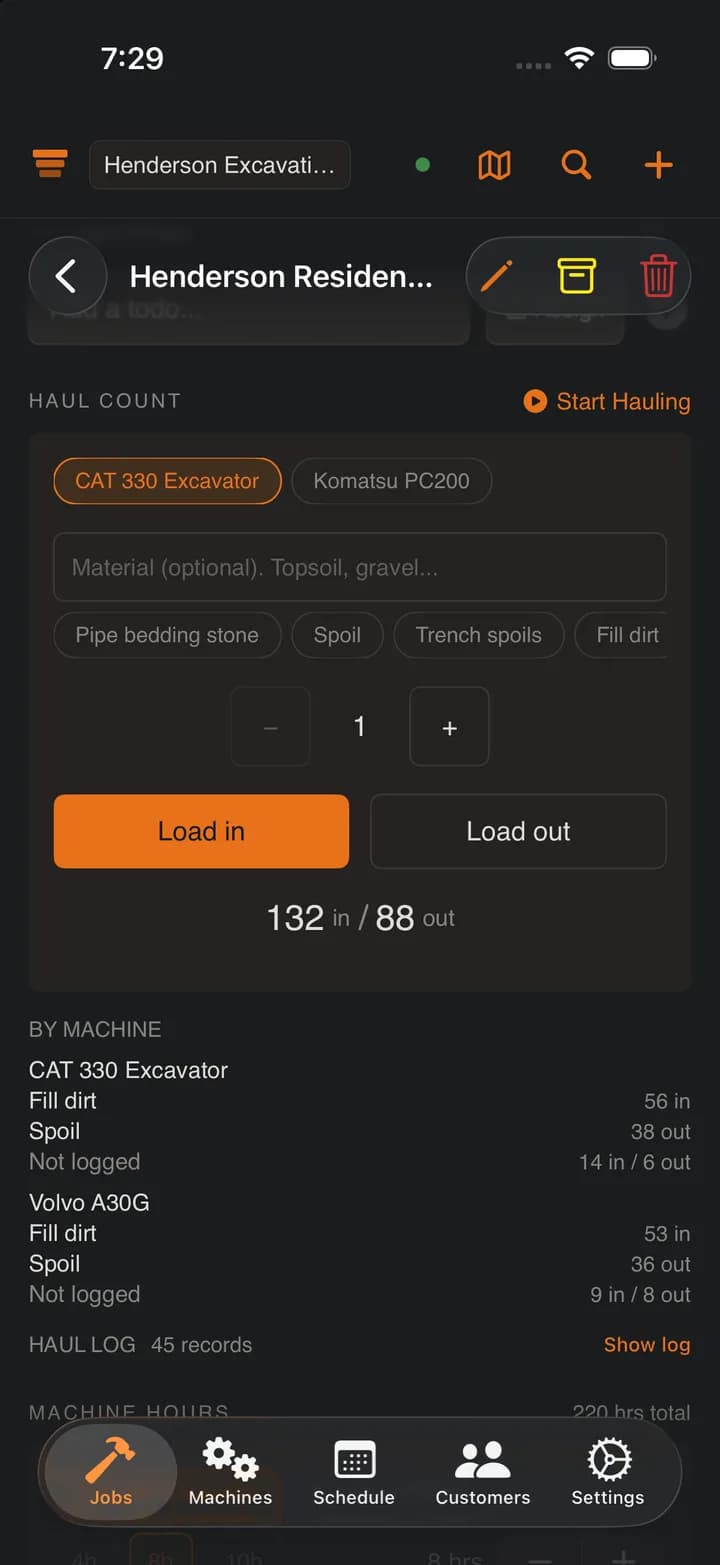
One tap per load, timestamped and initialed, carrying the machine that moved it and the material that was in it. The trucker says 16, your foreman says 14, the log settles it.
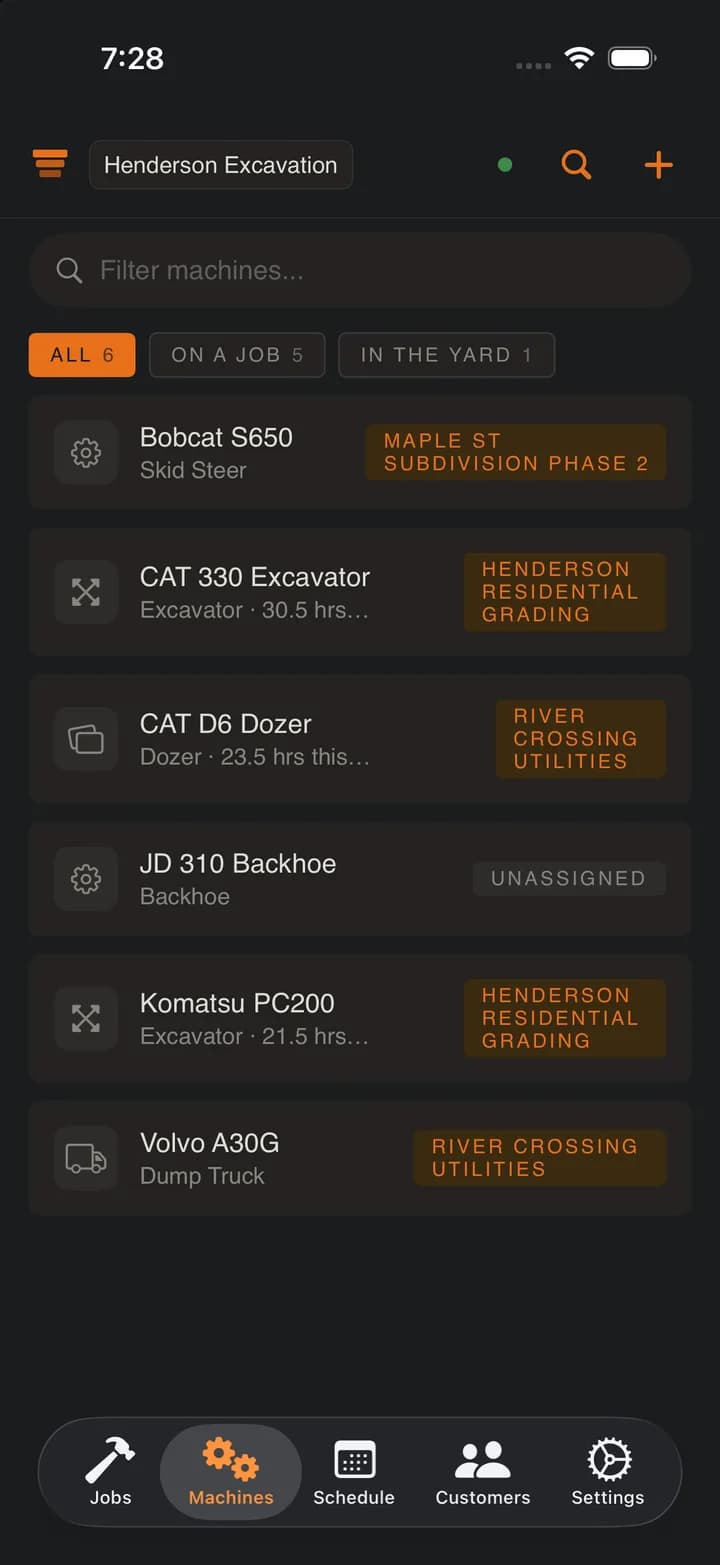
02 · Machine tracking
Where's the 330?
Every machine shows its job and when it last moved. Reassign it between sites in one tap.
03 · Machine hours
What ran, what sat.
Log hours per machine, per job. Weekly totals show what's earning and what's parked.
04 · Closeout
Hand it over in one link.
Daily logs, tags, markups, photos, and hours. Build a branded package and send the GC a clean link.
05 · Job notepad
One page. Whole crew.
Gate codes, site contacts, what to tell the next shift. Write it with no signal, it merges when you are back in range, and the numbers and addresses in it turn into Call and Navigate chips.
Gate code 4417. Second gate off Camino Diablo, chain is not locked.
Site super Dale Winters (925) 555-0147, call before 7 AM.
Stockpile 2710 Camino Diablo, Walnut Creek, CA. Next shift: keep the haul road watered.
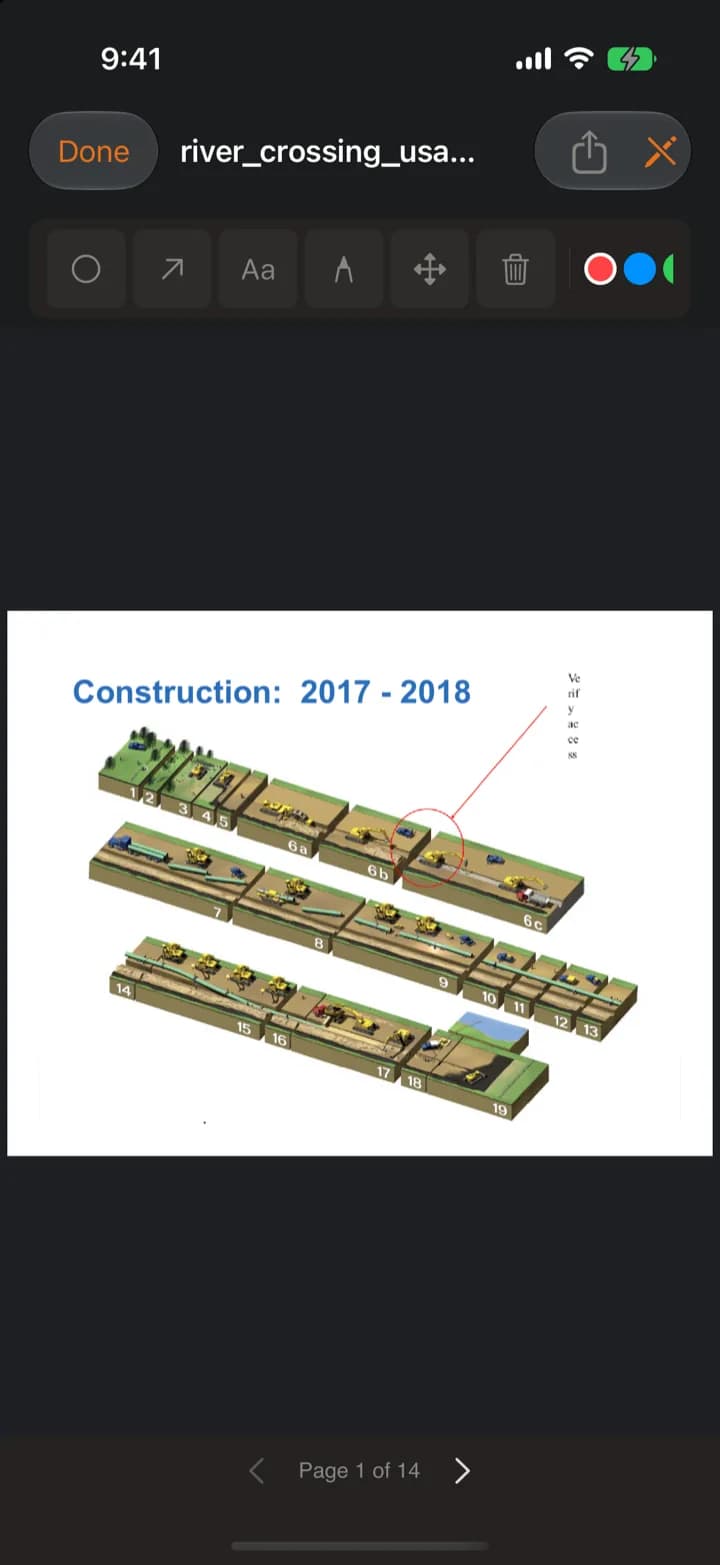
06 · Plan markup
Circle the conflict.
Open the GC's PDF, circle the utility conflict, drop an arrow and a note. Works offline, stays on the sheet through closeout.
Know which iron earns its keep.
The dozer ran 40 hours this week. The skid steer ran 3. Log hours from the seat, and SpoilStack totals them, draws the utilization heatmap, and folds the history into daily logs and closeout.
Explore machine hours →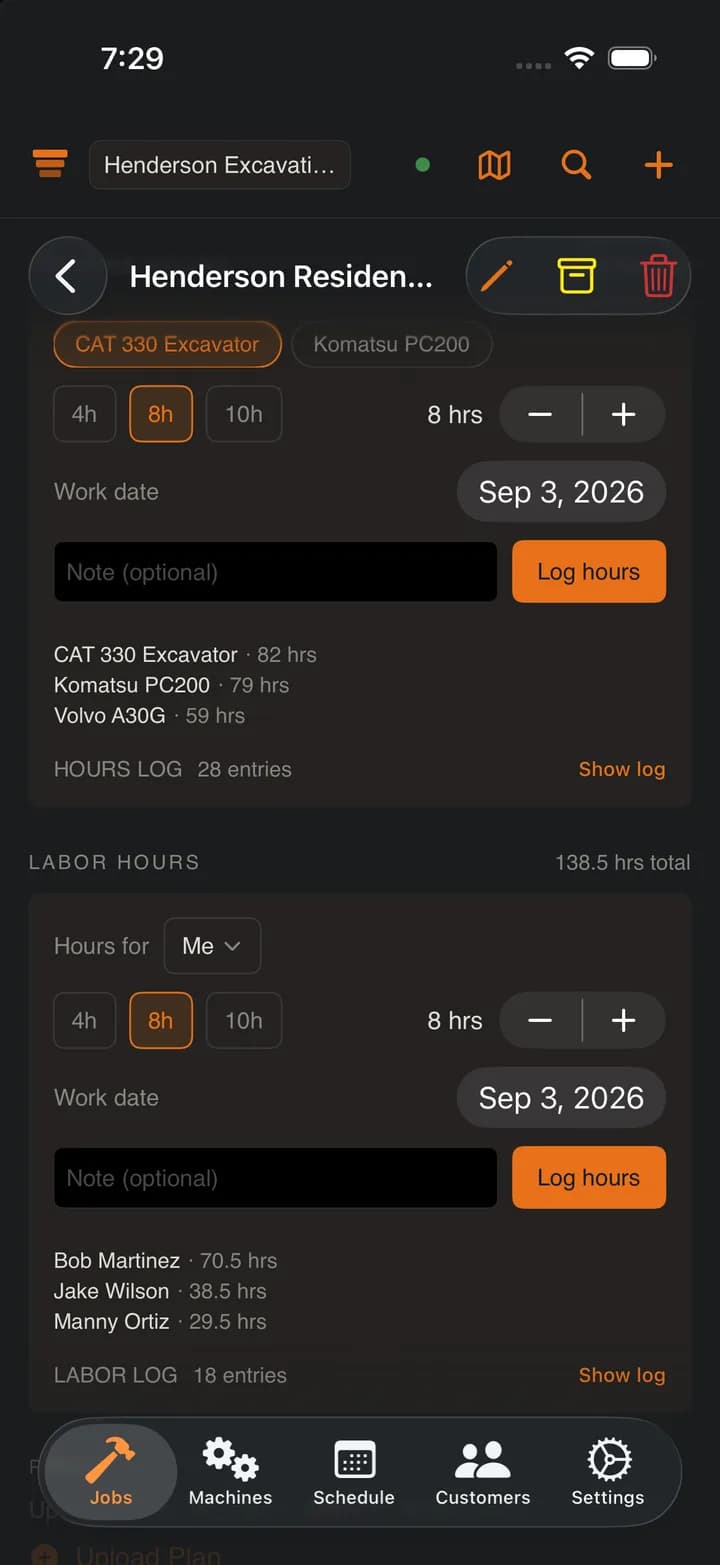
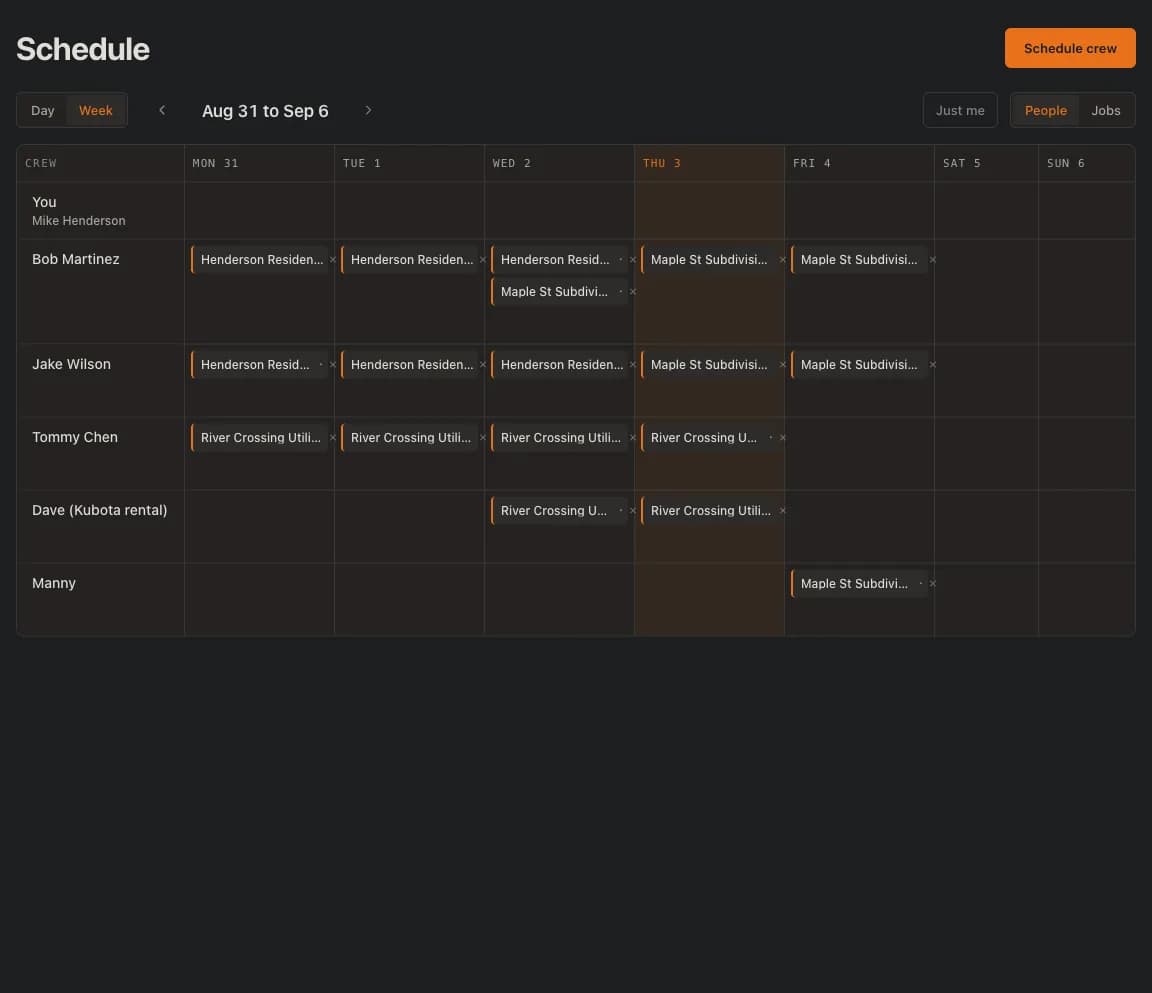
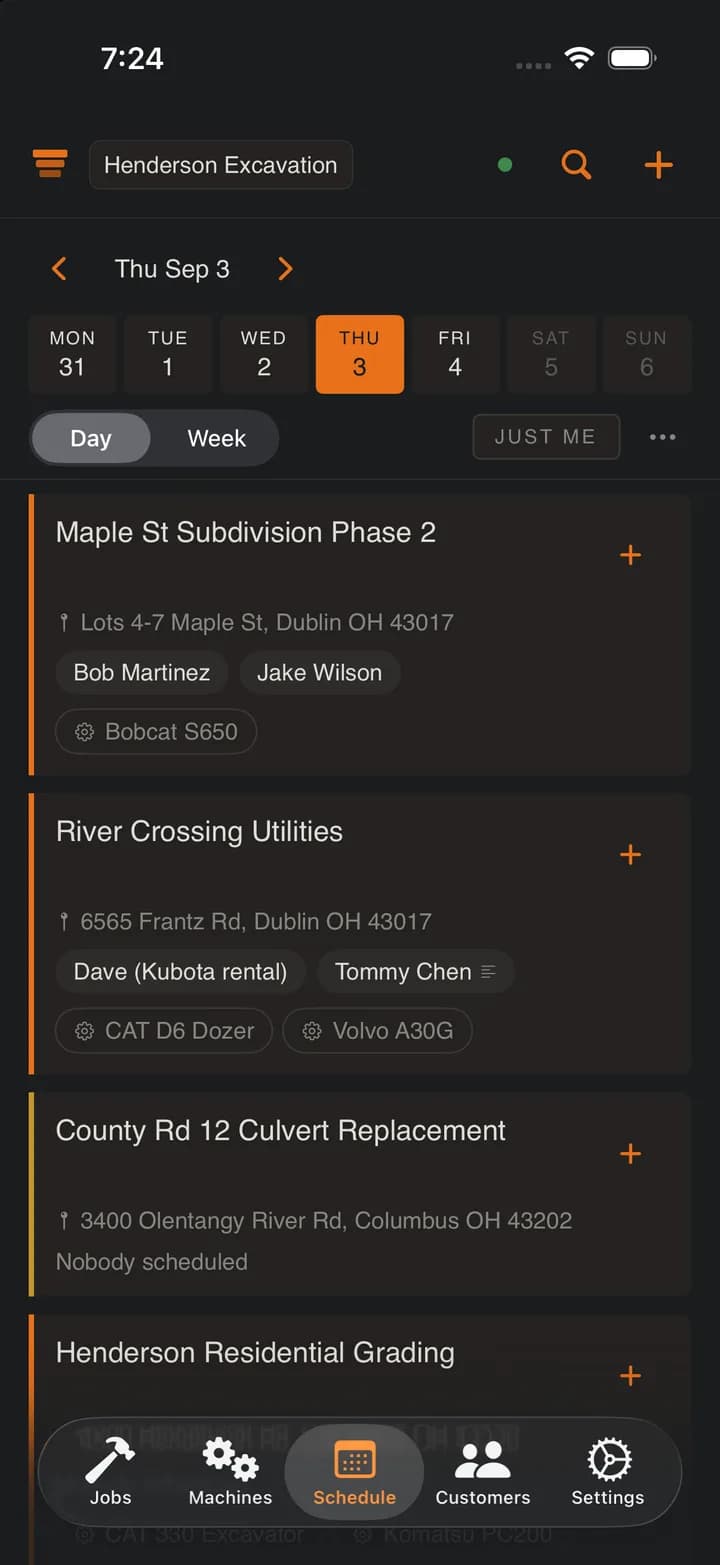
Everyone knows where to be.
Put people on jobs by the day. The crew opens the app at 6 AM and sees their own job and its address, not a group text from last night. Day laborers and rented operators go on the board by name, without an account.
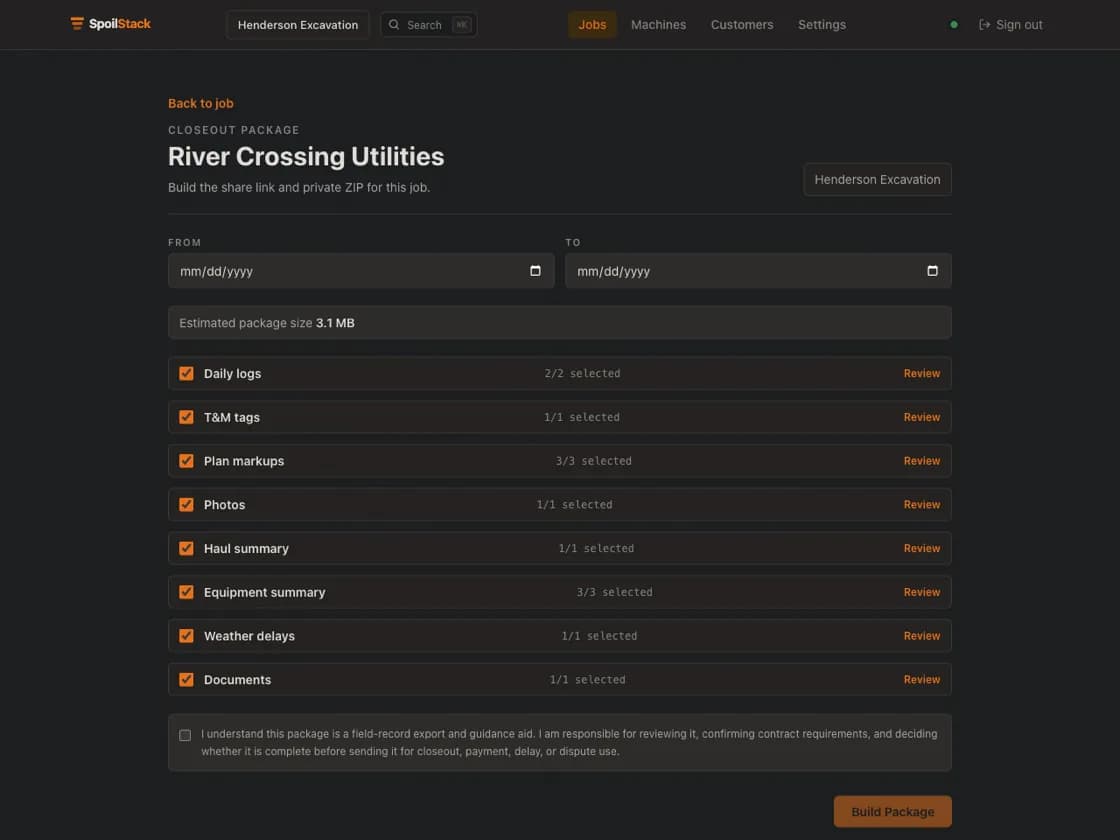
Hand the GC everything, in one link.
Daily logs, extra work tags, marked-up plans, photos, haul summaries, machine hours. Pick the records, build a branded package, and send an expiring link. No more digging through camera rolls at closeout.
Log it in the hole. See it at the desk.
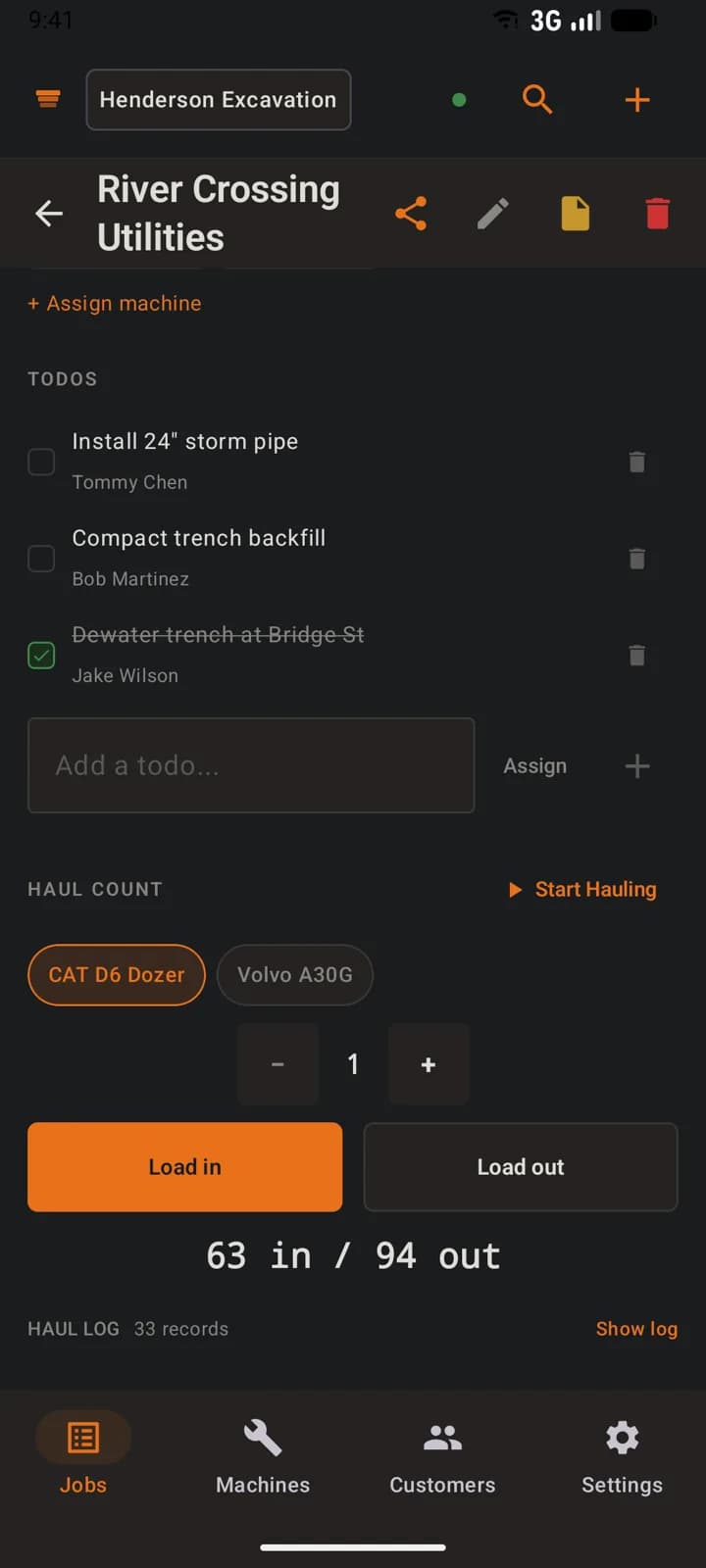
The same job record on the operator's iPhone, the foreman's Android, and the office web dashboard.
Sound familiar?
Staring at a whiteboard trying to remember which site the 330 is on.
Open the app. Every machine and its job, right there. Done.
Group text to dispatch the crew. New guy still shows up at the wrong site.
Crew opens the app, sees who is on which job today, taps the address to navigate. No group text.
Trucker says 16 loads. Your foreman's paper tally says 14.
Timestamped haul counts. Every tap logged and initialed. Dispute over.
Back at the shop. Nothing written down. The day is already fading.
Photos, notes, hours, and todos logged all day from the field. It is all there.
Rebuilding the week from memory, texts, and a glovebox full of paper.
Already in SpoilStack. Job history, haul records, hours, and crew notes.
Built for the paperwork that gets you paid.
- Weather per site
- A 5-day forecast for every job address, with rain delay records kept beside the daily log.
- Plan markup
- Open the PDF, circle the conflict, drop an arrow and a note, and keep it on the sheet.
- Offline sync
- No signal in the hole? Everything saves on the device and syncs when service comes back.
- Photos & documents
- Site photos, permits, and utility locates straight from the phone, attached to the job.
- Job todos
- Simple checkboxes with an assignee. The whole crew sees what is left to do.
- Crew schedule
- Put people on jobs by the day. A day board, a week roster, and a just-me view for each crew member. Days, not time clocks.
- Labor hours
- The paper timesheet, digitized. Hours per person per job per day, exported to CSV by the owner. No rates, no payroll.
- Morning briefing
- A 6 AM local-time email: today's jobs by status, weather per site, and where every machine sits.
One disputed invoice pays for a year.
The trucker says 16 loads. Your foreman says 14. SpoilStack timestamps every tap. One tap per load, one app, zero arguments.
$99 a month. The whole crew.
Start with a 14-day free trial. No credit card. No per-seat fees. No contract. Cancel anytime.
Your owner, foremen, office, operators, laborers, and anyone else who needs the job record.
Start free trial14-day free trial. No credit card. $99/month after. Your whole crew included.
Included in the plan
- Unlimited crew users
- Jobs, a shared job notepad, a crew schedule, machines, customers, todos, photos, and documents
- Daily logs, extra work tags (T&M), plan markup, and closeout exports
- Haul counts with materials, machine hours, labor hours, weather, and morning briefings
- Web dashboard plus iPhone and Android apps
- Offline-first sync for field crews


Built for dirt work, free to use.
Use them on their own, or sign up for SpoilStack when you want the whole job record in one system.
- Generator
Dump Truck Load Tickets
Print hauling tickets or a 4-per-page ticket book. Saves your company info.
- Calculator
Excavation Volume
Cubic yards of spoil, swell factor, and truckloads for any dig. Metric or imperial.
- Generator
Rain Delay Letter
Weather delay notice with actual precipitation data from the nearest station.
- Calculator
Backfill & Compaction
How many loose yards of fill to order. Accounts for compaction shrinkage.
- Calculator
Gravel & Aggregate
Area plus depth to cubic yards and tons. Crushed stone, road base, sand, topsoil.
- Generator
Change Order PDF
Professional change order with cost breakdown, contract summary, and signature lines.
Built for excavation, not lawn care.
Most job tracking software is built for service businesses: schedule a visit, send an invoice, done. Excavation does not work that way. Your machines move between sites, your loads leave by the truck, and the paper trail from the hole is what gets you paid at closeout. A generic field service app has nowhere to put a haul count, a machine reassignment, or a marked-up utility conflict.
SpoilStack is excavation software first. It tracks the things a dirt crew actually argues about: which job the 330 is on, how many loads left the site, what each machine ran, and what the weather did to the schedule. If you are weighing it against a generic platform, see how it stacks up against Jobber for excavation contractors or against Projul.
And if one pain point brought you here, start there: the dump truck load tracking app settles trucking disputes with timestamped counts, and the excavation equipment tracking app answers “where's the machine” without GPS hardware on every piece of iron.
Frequently asked questions
What is SpoilStack?
SpoilStack is excavation job tracking software for small dirt crews (3 to 15 people). It keeps jobs, a shared job notepad, a crew schedule by the day, equipment, machine hours, labor hours, haul counts, daily logs, photos, plan markups, and closeout packages in one place, from after the bid through closeout.
Who is it for?
It is built for small excavation and dirt crews, typically 3 to 15 people. Owners, foremen, office staff, and operators all use the same job record.
What does it cost?
SpoilStack is $99 per month flat with unlimited users and no per-seat fees. There is a 14-day free trial and no credit card is required to start. You sign up on the website.
Does it work offline?
Yes. SpoilStack is offline-first. Photos, haul counts, machine hours, labor hours, todos, daily logs, tags, markups, and the job notepad are captured on the device and sync when service returns, so it keeps working in holes and rural sites with no signal.
What platforms does it run on?
There is a web dashboard plus native iPhone and Android apps. The data stays in sync across all three.
How do machine tracking and machine hours work?
Every machine shows which job it is on and when it last moved, and you can reassign it between job sites with one tap. You log the hours each machine ran per job, and SpoilStack keeps weekly totals, an hour meter, and a utilization heatmap.
What does SpoilStack not do?
It deliberately leaves out invoicing, estimating and bidding, job costing and P&L, payroll and time tracking, GPS and telematics, fuel tracking, equipment maintenance and depreciation, a customer portal, and QuickBooks integration. It stays focused on tracking jobs, machines, and the field record.