After the bid.
Before closeout.
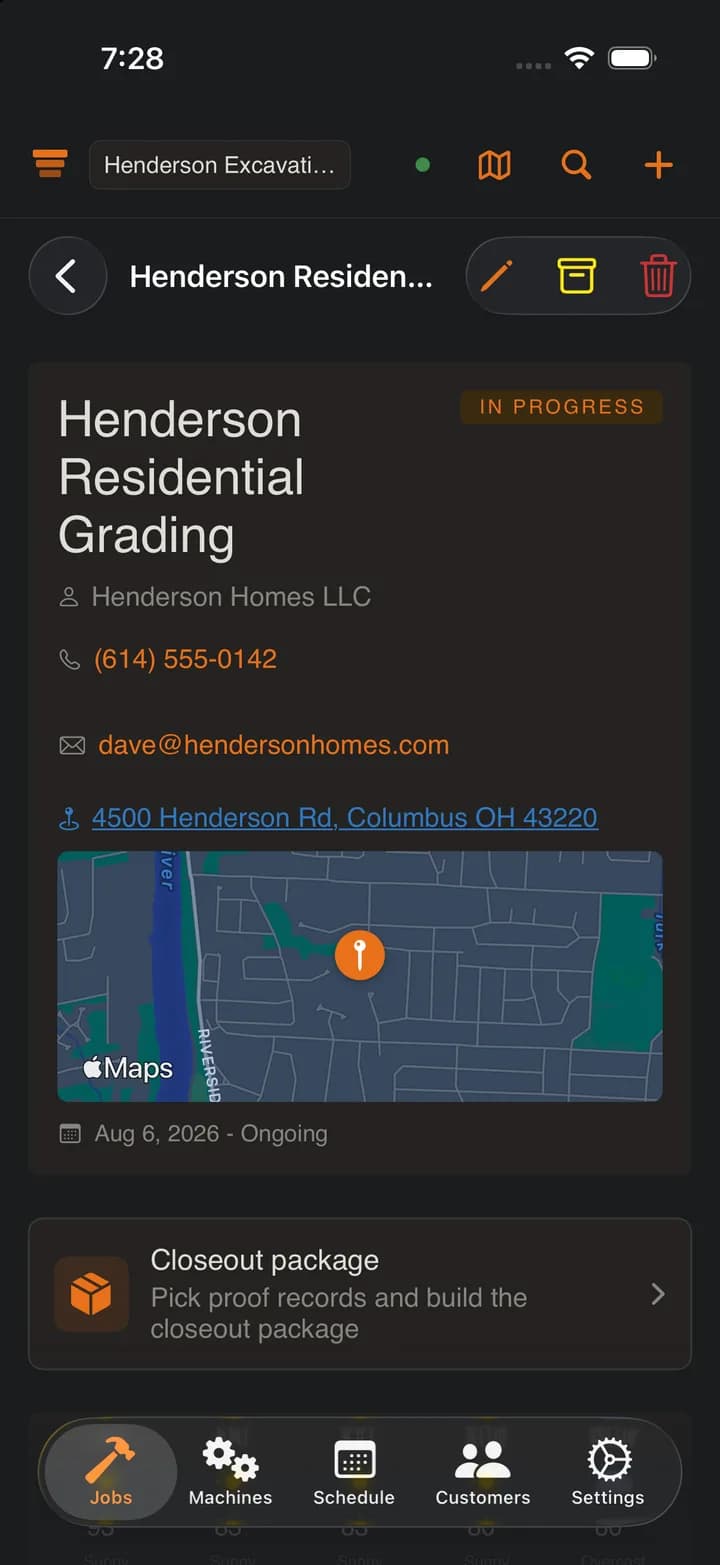
SpoilStack handles the part after the estimate is accepted: where the machines are, what happened each day, what changed, and what proof you have when closeout starts.
14-day free trial. No credit card required. $99/month after.
Bid won
The estimate is done. Now the job has to be tracked.Field work
Machines move. Rain hits. Loads leave. Photos and notes pile up.Proof built
Logs, tags, markups, rain delays, and documents stay with the job.Closeout ready
The closeout package pulls from the records already on the job.
One place for the job.
Your crew should not need a spreadsheet, a camera roll, a paper notebook, and a group text just to answer what happened on a job.
Jobs
Machines
Crew schedule
Machine hours
Labor hours
Job notepad
Haul counts
Weather
Haul counts · one load record
The trucker says 16 loads and your foreman says 14. Every tap records more than a number, and all of it goes in the closeout package with the day's totals.
For the stuff people ask about later.
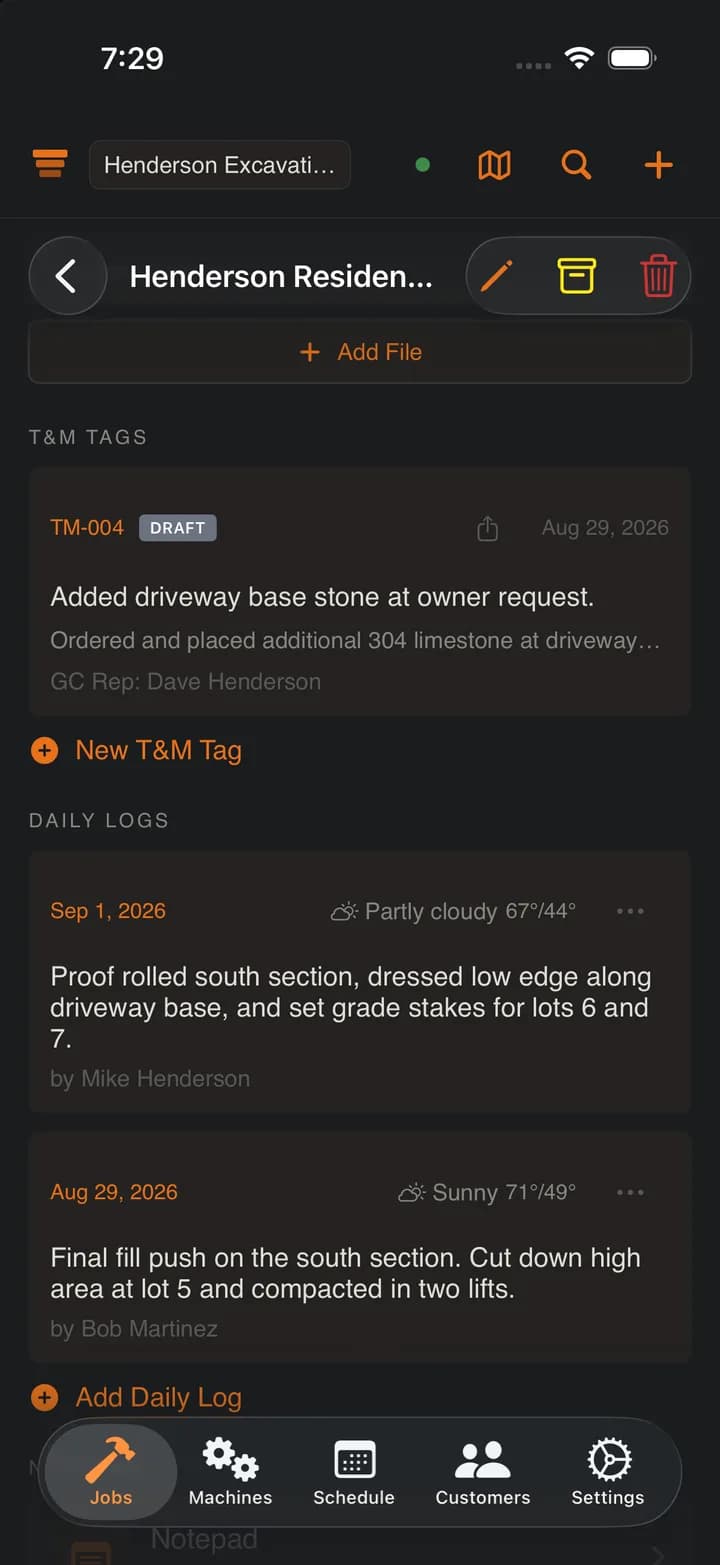
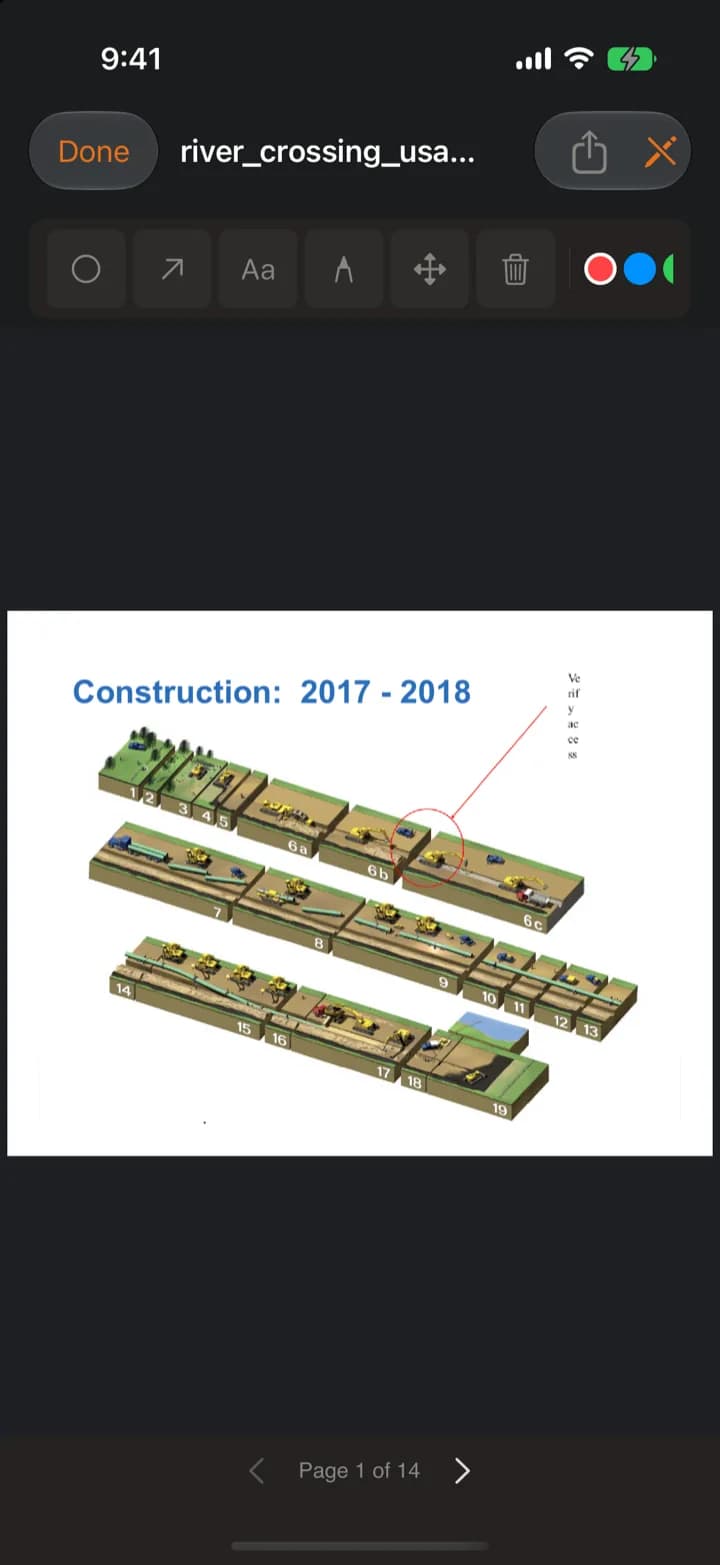
When a GC asks what happened Tuesday, why the crew stopped, what extra work was documented, or where the plan was wrong, the answer should already be on the job.
Daily logs
Extra work tags (T&M)
Plan markups
Rain delay logs
The one page the whole crew reads.
Like the note you already keep in your phone, except everyone on the job sees the same one. Gate codes, site contacts, the running plan, what to tell the next shift.
Gate code 4417. Second gate off Camino Diablo, chain is not locked.
Site super Dale Winters (925) 555-0147, call before 7 AM.
Stockpile 2710 Camino Diablo, Walnut Creek, CA. Next shift: keep the haul road watered.
The whiteboard, in every truck.
Put Bob on Miller Ave Tuesday. Jake and Tommy on Henderson through Friday. Everyone sees it on their phone, with the address one tap from directions.
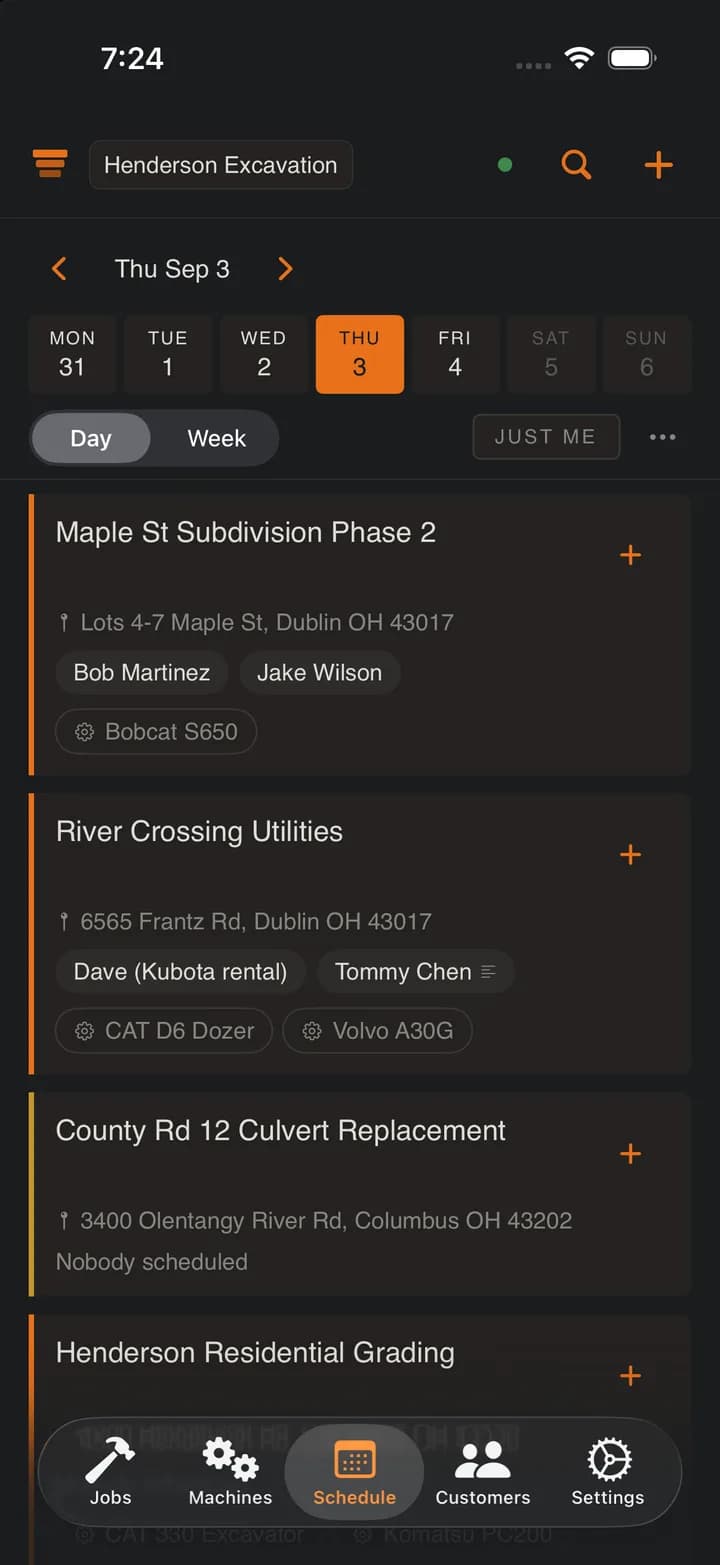
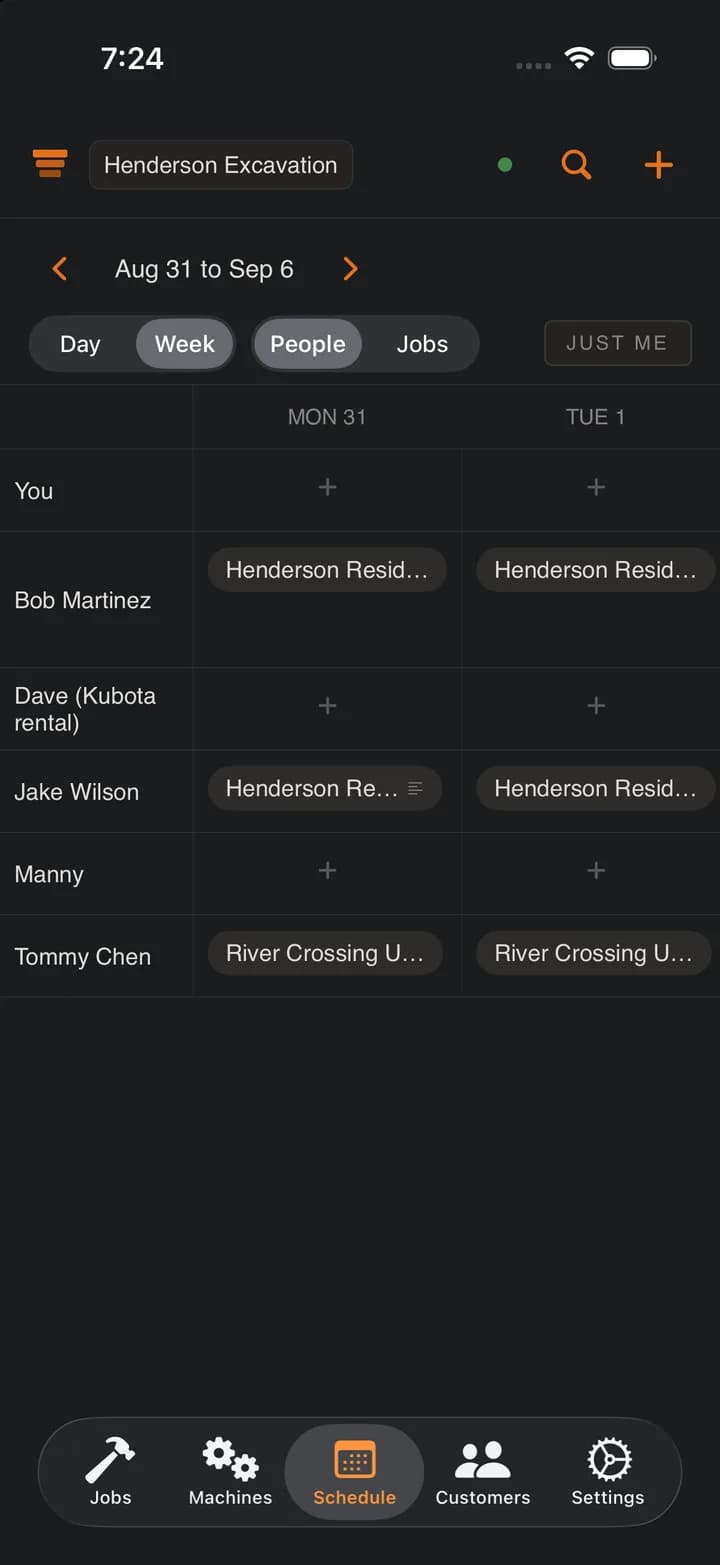
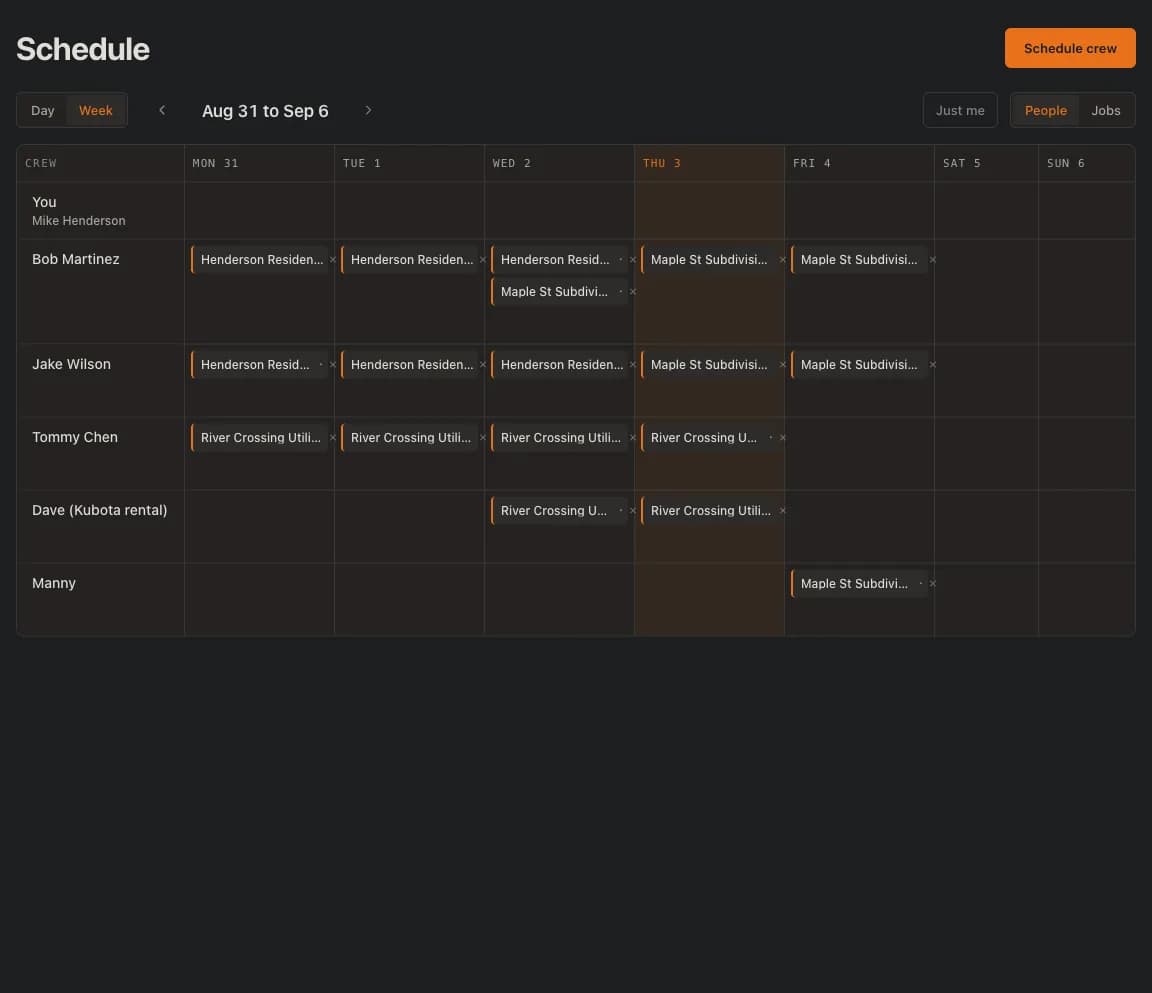
Days, not hours. No start times, no time clock, no payroll. Hours still get logged the way they do today.
Hours on the job. Not payroll.
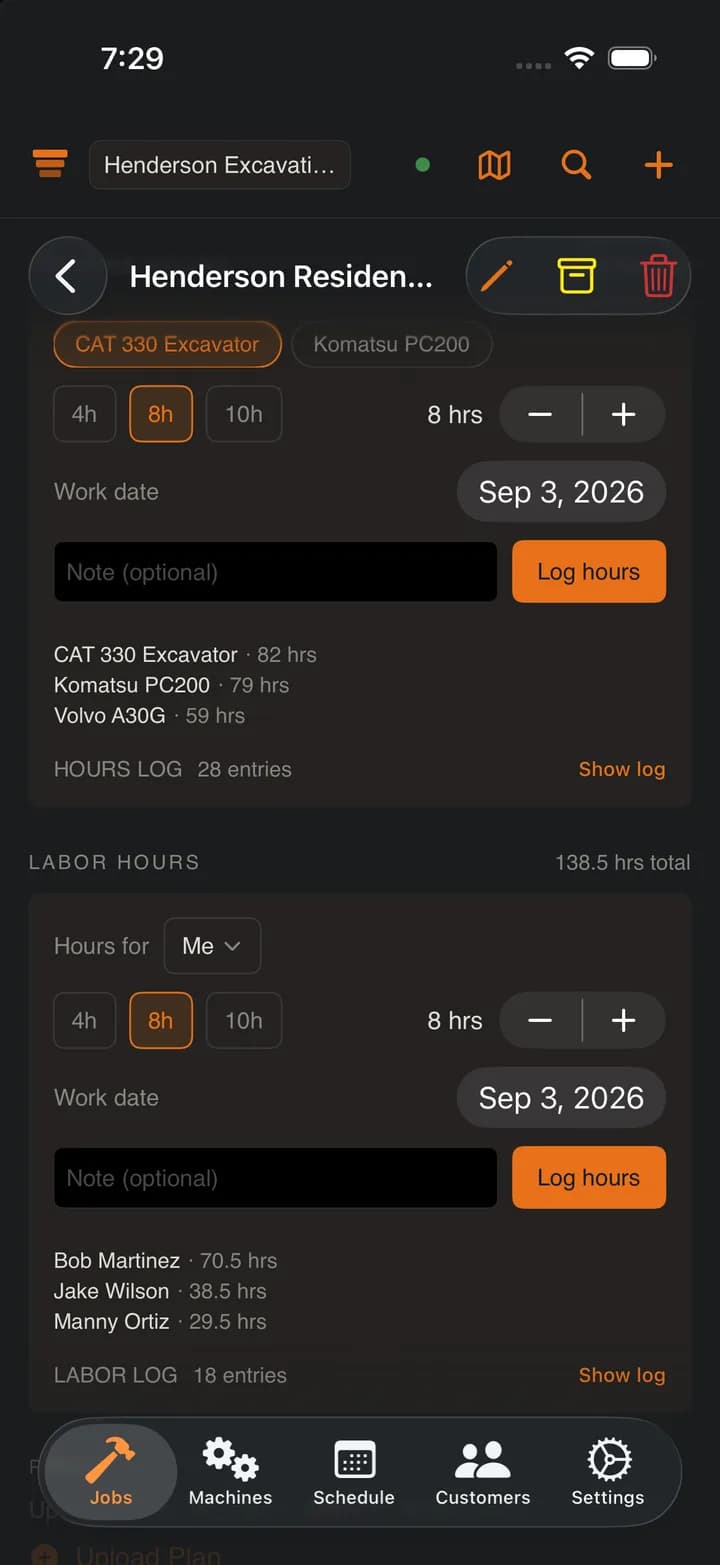
Who was on the job and what ran, logged by the day. SpoilStack records hours and nothing else. No pay rates, no time clock, no cost per hour.
Labor hours
Machine hours
On the daily log
In the closeout
Everything the job produced, in one package.
At closeout, nobody should be digging through camera rolls, texts, folders, and paper tickets. SpoilStack pulls the job backup together from what your crew already logged.
Example export
Henderson grading closeout
- Cover page and job summary
- Daily logs
- Rain delay logs
- Extra work tags (T&M)
- Annotated plan pages
- Photos with captions and job context
- Uploaded documents
- Haul counts with materials and totals
- Equipment history and utilization
- Labor hours summary
Not another all-in-one contractor platform.
Keep your estimating tool for bids. Keep QuickBooks for billing. Use SpoilStack for the job record between the two.
- Estimating and bidding
- Invoicing and payment collection
- Payroll
- Generic CRM
- Enterprise GC project management
Frequently asked questions
What does SpoilStack NOT do?
SpoilStack does not do estimating, invoicing, payroll, CRM, or project management. It handles the field record between winning the bid and building the closeout package. Keep QuickBooks for billing and your estimating tool for bids.
Can my crew use SpoilStack from the field?
Yes. SpoilStack is offline-first. Photos, haul counts, machine hours, labor hours, daily logs, extra work tags (T&M), plan markups, todos, notes, the job notepad, and the crew schedule all save locally and sync when signal returns. Built for crews working in holes and rural sites with no cell service.
Can I schedule my crew?
Yes. Put people on jobs by the day and the whole crew sees it: a day board of who is on each job and which machines are there, a week roster by person or by job, and a just-me view for each crew member. Pick several days at once, and type a plain name for a day laborer or a sub who is not on the app. Anyone on the crew can make a change, and it works with no signal. It is a schedule, not a time clock: no start times, no punches, no payroll.
Can I record what material each load was?
Yes. A load can carry a material, typed however you say it: screened topsoil, Class II base, spoil. Materials your crew used recently come back as one-tap chips, so nobody types in the cab. When you start a haul session the machine and the material lock for the shift and every load logged from the lock screen or the notification carries both. The material prints on each load in the closeout package alongside the load in and load out totals.
What is the job notepad?
One shared page per job, like the note you already keep in your phone, except the whole crew sees the same one. Gate codes, site contacts, what to tell the next shift. It works with no signal and merges when you are back in range, it shows who wrote what and when, and version history lets you restore an earlier copy of the page.
Does SpoilStack track labor hours?
It keeps the paper timesheet, digitized: hours per person per job per day, entered by the crew or corrected by the owner. There are no pay rates, no payroll, and no time clock. The owner can export the hours to CSV, and they roll into the closeout package with the rest of the job record.
What is a closeout package?
A closeout package is a branded ZIP export with a preview page containing all job documentation: daily logs, extra work tags (T&M), annotated plan pages, photos with captions, uploaded documents, haul count summaries, equipment history, and a labor hours summary. It is the job backup you send when the GC asks for records.
How does machine tracking work?
Every machine in your fleet is assigned to a job or marked unassigned. One tap to reassign a machine to a different job. Your whole crew sees the change instantly, and each machine has its own page with the jobs it has been on.
Can I log machine hours?
Yes. Log the hours each machine ran on each job. SpoilStack keeps a running engine hour meter per machine, weekly totals, and a per-machine utilization heatmap, then rolls the equipment history into daily logs and the closeout package. It tracks hours, not fuel, cost, or GPS.
$99/month flat. Unlimited users.
14-day free trial. No credit card. Cancel anytime. Your owner, foremen, office, operators, laborers, and anyone else who needs the job record are included.